Pages

Sabtu, 18 April 2015

WRITING SPELLING AND TRACING WORKSHEETS

WRITING SPELLING AND TRACING WORKSHEETS


I want to show how to make writing worksheets


1. FIRST
Open this website  http://www.toolsforeducators.com/writing/
2. You have to click at " free writing, spelling and tracing worksheets"
 

3.you must click at " this font" ( orange circle) for the tracing function
  

4. download it ( click at red circle) 
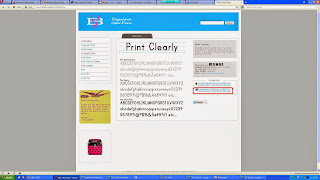
  

5. after you got the winrar you have to extract that file
  

6. after you extract you have to open the both folder copy that file into fonts in your microsoft
   
copy in local disk C - window - font


7. choose the topics that you want


8. fill up this column and choose picture that you want and click make it
 

9. this is the result from this program


GOOD LUCK


Selasa, 14 April 2015

HOW TO MAKE GAME SPELLING AND READING

This is step to make game Spelling and Reading

STEP ONE
1.FIRST
Open this website http://www.toolsforeducators.com/spelling/
 

2. Click all other browser if you use the other site of your internet connection but click internet exploler if you use it.


3. After that choose the images then write down some clues under your images to help your students or friends guess them.


4. After that, click "make it" to create it


5. This is the result of your spelling and writing


HOW TO MAKE DOMINO MAKER

 HOW TO MAKE DOMINO MAKER1. FIRST
open this website :  http://www.toolsforeducators.com/dominoes/
 

2. choose between just text or with the picture into your domino


3. I want to show how to make dominoes using text only.
Click "text domino make" to make it
 

4. After click Choose what dotted that you want and  you have to complete the column. 
 

5. The last step is, click "Make it" to show the result of your dominoes.


6.  This is the example


STEP 2
Now i want to show you the steps to make the dominoes with images
1. Like the step in the first, but click the icons uder the text only in dominoes like this  


 2. Complete these columns using the clues or questions to guess your picture.


3. click "Make it" to show your result


4. this is the example

Jumat, 03 April 2015

HOW TO MAKE BINGO GAMES

If you makae a game, You can make it for 3x3 boards or 4x4 board
 
1. FIRST 
2. SECOND 
Click at " Free Bingo Board Maker" 
   

3. Choose the categories and if you want to create bingo game for 3x3 board just click one of the items in column 3x3
  
4. Fill the blanks with some vocabularies and then click " make it "


5.You can get the result of 3x3 bingo board
 

6. If you want to make 4x4 bingo board , you can do it as like as the steps above . This is the result of
    4x4 bingo board
GOOD LUCK :D
HOW TO MAKE MAZE GAME ????
There are three type of maze maker 6 maze game, 9 maze games, and just select images only in 12 maze games 
  • STEP ONE :
1.FIRST
Visit this website :    http://www.toolsforeducators.com/mazes/
2. second 
Choose one categories that you want, In this case i will show you how to make for 9ictures 

.

3. than  Fill the blanks with some vocabularies and then make the  questions depend on vocabularies.
   Then click "make it"
  

4. The result of maze games for 9 with text

 
 STEP TWO
HOW TO CREATE A MAZE MAKER FOR 12 PICTURE ONLY 
1. FIRST
Choose one of the items in the column 12
 
2. SECOND 
Fill this image, after that click "make it"
 
3. the result of maze game for 12
 
 
GOOD LUCK :D